

7 Outdoor TV Uses that aren’t Watching Sports
Posted by Emilyann Allen on 30th Jan 2026
Outdoor TV Uses that Aren’t Watching Sports | The TV Shield
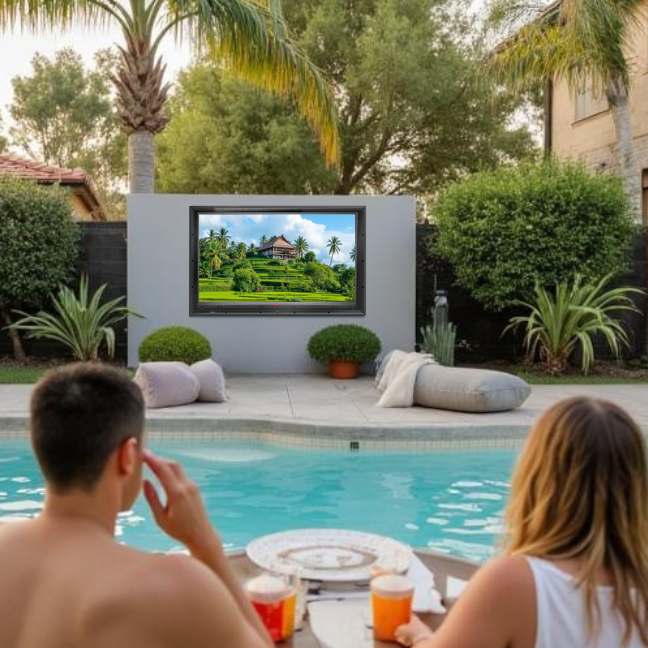
When most people think of outdoor TVs, they picture a big game, cold drinks, and a crowd yelling at the referee. And sure, that’s a classic. But an outdoor TV (or an indoor TV protected by an outdoor TV cabinet like The TV Shield which provides better impact-resistance and cost-savings) can do a whole lot more than show touchdowns and home runs.
Backyard screens have quietly become one of the most versatile upgrades a home can have. They turn patios into entertainment zones, pools into party hubs, and quiet evenings into something a little more special. Whether you live somewhere sunny year-round or only break out patio furniture part of the year, an outdoor TV opens the door to experiences you probably haven’t even thought about yet.
If your outdoor TV is currently only switched on for sports season, you are leaving a lot of fun on the table. Here are seven creative, practical, and surprisingly popular ways people are using their outdoor TVs that have nothing to do with watching sports.
Daily morning briefingRecentsHideContent strategy for Murray Corp websiteTherapy analysis: family crisis and mental health patternsSet up daily morning briefingSet up daily morning briefingExtract SEO keywords from landing page templatesResolve TVS Cannibalization Project ConcernsLocate cash flow warning signs blogKeyword research for Visconti HangersSEO competitor analysis for justmoney.co.zaOptimize image filenames for SEOConvert rich text to markdownMonday reminders and keyword research tasksReview Claude coworker documentationStart day planning sessionStart my day planningStart my day planningAgent capabilities and how it worksThese tasks run locally and aren't synced across devicesUpdated to 1.1.9493Relaunch to applyRelaunchLLaurenMax planContent strategy for Murray Corp websitei need you to give me a run down of a content strategy for https://www.murraycorp.com/. Below are notes from the meeting. I essentially need you to map the what and they why. Let me know if you need further instrcutions. Use chrome when needed.Content Strategy Recommendations * Skip current blog audit - mostly ineffective content * Three-phase approach: 1. Content strategy aligned with categories 2. Quick content audit of existing pieces 3. Identify refresh/rewrite candidates * Strong performing content potential: * “Best clamp types per industry” * “Choosing right grade of stainless steel” * Content can be significantly enhanced Site Structure Analysis * Three content areas identified: * On-page optimization (markets/categories) * Resources section restructuring * Tech tips integration * Navigation improvements needed: * Move from separate “Blog” to “Resources” dropdown * Consolidate tech tips under blog categories * Current tech tips are single paragraphs with PDF downloads * Internal linking strategy required between categories and marketsShow moreLoaded toolsLoaded toolsLet me research Murray Corp's website first so I can map the strategy to their actual business. I'll browse the site now.Used Claude in Chrome integration, loaded tools, updated todo listUsed Claude in Chrome integration, loaded tools, updated todo listGood, I've got the homepage. Now let me check the markets pages, resources/blog, and tech tips sections.Used Claude in Chrome integration, loaded toolsUsed Claude in Chrome integration, loaded toolsNow let me check the Tech Tips and Markets pages.Used Claude in Chrome integrationUsed Claude in Chrome integrationNow let me check one of the market pages to understand the structure.Used Claude in Chrome integrationUsed Claude in Chrome integrationLet me check the individual market pages from the nav.Used Claude in Chrome integrationUsed Claude in Chrome integrationThe markets pages seem to link differently. Let me check the nav more carefully for the actual market URLs.Used Claude in Chrome integration, loaded toolsUsed Claude in Chrome integration, loaded toolsGood, I now have a solid picture of the site. Let me also quickly check the About page and product category structure, then build the strategy doc.Used Claude in Chrome integrationUsed Claude in Chrome integrationI now have a thorough picture of the site. Let me build the strategy document.Updated todo list, read a fileUpdated todo list, read a fileNow I have everything I need — the full site structure, blog content, tech tips, market pages, and product categories. Let me build the strategy document.Created a file, updated todo listCreated a file, updated todo listHere's the full rundown, Lauren: View your Content Strategy Rundown I browsed through Murray Corp's actual site — homepage, blog, tech tips, market pages, product structure, and about page — and mapped everything against your meeting notes. The document covers all three phases with a clear "What / Why" for each recommendation: Phase 1 maps new content themes (best clamp per industry, stainless steel material guide, market-specific application guides, product comparisons) to their strategic rationale — mostly around capturing search intent and connecting products to markets. Phase 2 triages all ~9 existing blog posts with specific actions (enhance, refresh, rewrite, or archive). The comparison posts and the turbocharger piece have the most refresh potential; the newsletter-style posts can be archived. Phase 3 covers the structural changes — collapsing Blog + Tech Tips into a unified "Resources" dropdown, converting those 5 tech tips from PDF-only to full indexable pages (arguably the single highest-ROI move), and building the internal linking architecture that's almost entirely missing right now. There's also a prioritised action list at the end and a proposed site architecture tree. Let me know if you'd like me to go deeper on any section or adjust the format.Murray corp content strategy rundownCode · HTML Google ChromeCan you please give this to me in a doc xRan 3 commands, read a file, updated todo listRan 3 commands, read a file, updated todo listGood, installed locally. Now let me create the Word document.Ran 3 commands, created a file, updated todo listRan 3 commands, created a file, updated todo listHere you go: View your Content Strategy Rundown Same content as the HTML version, now as a formatted Word doc with a title page, headers/footers, page numbers, and all the tables and What/Why breakdowns preserved. Let me know if you need any adjustments.Murray corp content strategy rundownDocument · DOCX Microsoft WordAwesome! Can you creatw two relevant content outlines for https://www.foldabox.co.uk/Thought processThought processLet me research the Foldabox site first so the outlines are grounded in their actual products and audience.Used Claude in Chrome integration, updated todo listUsed Claude in Chrome integration, updated todo listNow let me check their branding and custom pages for a fuller picture.Used Claude in Chrome integrationUsed Claude in Chrome integrationGood, I now have a thorough understanding of Foldabox. Let me create the two content outlines.Updated todo list, ran 2 commands, created a fileUpdated todo list, ran 2 commands, created a fileHere you go: View your Foldabox Content Outlines The two outlines are: Outline 1 — "Eco-Friendly Gift Packaging: Why Folding Gift Boxes Are the Sustainable Choice for UK Brands" — targets brand owners researching sustainable packaging. It leans heavily on Foldabox's genuine eco credentials (the 50–95% space saving stat, reusability, recyclability) and ties into the UK's EPR regulatory pressure. Links naturally to their Our Story page, Natural Kraft range, and linen collections. Outline 2 — "The Complete Guide to Branded Gift Box Packaging for Small Businesses (Without Minimum Orders)" — goes after the commercial pain point of small businesses wanting branded packaging but being locked out by high MOQs. It positions Foldabox's stock-box-plus-accessories model (FAB Sides, slot decals, wax seals, custom ribbon) as the smart workaround, with real cost scenarios and a clear path to action. Both include target keywords, secondary keywords, search intent, audience, word count targets, internal linking opportunities, and full section-by-section breakdowns. Let me know if you'd like any tweaks.Foldabox content outlinesDocument · DOCX Microsoft Wordis there a way you can brand two ppt documents if i send you an example?Loaded toolsLoaded toolsYes, I can definitely work with a branded example to match the style! To make sure I get it right, what would you like me to brand the two presentations for?Two different clientsGot it — two different clients. Go ahead and upload your branded example PPT along with any details about the two clients (names, logos, colours, etc.), and I'll match the style across both presentations.WrappedGifts _ SEO Overview .pptxpptxThis is what i need it to look like. Await for me to send you the first slide deck that needs the rebrand.Ran 2 commands, used a skill, updated todo listRan 2 commands, used a skill, updated todo listNow let me get the visual layout by converting to images:Read 10 files, ran 7 commandsRead 10 files, ran 7 commandsNEW JustMoney_SEO_Competitor_Analysis.pptxpptxHere is the first one to rebrand.Updated todo listUpdated todo listGot it, I've fully mapped the branded example style: Prominence brand template: Black background throughout Orange accent colour (approx #E8731B) for titles, highlights, and the hexagonal logo White body text, green (#4CAF50) for positive/strength items Bold uppercase titles (left-aligned) Prominence hexagon logo in bottom-right or centre on title slide Orange bullet points, orange CTA buttons with rounded corners Clean, modern layout — generous spacing, left-aligned content Now let me start on the first rebrand. Let me analyse the JustMoney deck.Read 5 files, ran 2 commandsRead 5 files, ran 2 commandsGood, I now have a complete picture of both decks. The JustMoney deck is 24 slides with a blue/white corporate theme that needs to become the Prominence black/orange style. Let me unpack and rebrand it.Updated todo list, read a fileUpdated todo list, read a fileThis is a 24-slide rebrand — let me unpack the deck and systematically swap the colour scheme and styling.Ran 2 commandsRan 2 commandsLet me also unpack the Prominence template to extract its exact color values and logo:Ran 2 commandsRan 2 commandsThe Prominence brand uses 000000 (black) backgrounds, F56E28 (orange) accents, and FFFFFF (white) text. Now let me find the JustMoney color values to map:Ran 2 commandsRan 2 commandsGood. Now I have the full colour mapping. Let me write a comprehensive rebranding script:Created a file, ran a commandCreated a file, ran a commandNow let me add the Prominence logo. Let me copy it from the template and add it to the JustMoney deck:Ran 4 commandsRan 4 commandsNow let me add the logo to slides and ensure Content_Types includes png:Created a file, ran a commandCreated a file, ran a commandNow let me clean and pack the rebranded deck:Ran 2 commandsRan 2 commandsNow let me do visual QA:Read 24 files, ran 2 commands, updated todo listRead 24 files, ran 2 commands, updated todo listGood QA feedback. The main issues are the green callout box on slide 2 and some contrast concerns. Let me fix the critical ones:Read 6 files, ran 5 commandsRead 6 files, ran 5 commandsHere's your rebranded JustMoney deck: View JustMoney SEO Competitor Analysis (Prominence branded) All 24 slides have been transformed to the Prominence style — black backgrounds, orange accents replacing the blues, white body text, dark card backgrounds, and the Prominence logo in the bottom-right corner of every slide. Ready whenever you'd like to send over the second deck!Justmoney seo competitor analysis prominencePresentation · PPTX Show in FolderDebtBusters_SEO_Competitor_Analysis_1.pptxpptxNow do the samefor this one:Ran 6 commands, used a skill, loaded toolsRan 6 commands, used a skill, loaded toolsNow I have a clear picture. This deck uses a green/gold color scheme. Let me build the rebrand script.Updated todo list, created a file, ran a commandUpdated todo list, created a file, ran a commandNow let me add the Prominence logo. I still have the template unpacked from before.Ran 2 commands, updated todo listRan 2 commands, updated todo listGood, the Prominence template is still unpacked with image6.png (the logo). Now I need to copy it to the DebtBusters media folder and add relationships + XML to each slide.Read 24 files, ran 8 commands, updated todo listRead 24 files, ran 8 commands, updated todo listSeveral issues found. Let me fix them.Ran 4 commandsRan 4 commandsThe issue is that many body text elements (originally dark green) got mapped to orange, making them hard to read on dark backgrounds. I need to selectively convert body text from orange to white while keeping headers and accents orange.Ran 2 commands, read a file, created a fileRan 2 commands, read a file, created a fileSlide 1 wasn't fixed for orange body text because the issue is that the text there doesn't have
It’s Saturday afternoon, and you’re hosting the ultimate backyard gathering. The grill is sizzling, music’s floating through the air, and your friends are spread out across the patio, pool, and garden. Then, the big surprise is revealed... an enormous 86-inch TV flickers to life under the open sky. Whether it’s the big game, a blockbuster film, or a slideshow of family memories, everyone stops and stares.
That’s the power of a large-scale outdoor TV setup. But the reality check to remember is that putting a giant TV outside isn’t as simple as mounting it on a wall. Mother Nature has her own script, such as the blazing sun, sudden rainstorms, high winds, insects, flying objects, and even curious hands. Without the right protection, your investment could be short-lived.
That’s where large-scale indoor and outdoor TV enclosures step into the spotlight. And if you’re looking for the best of the best, we’re about to introduce two stars of the show: The TV Shield PRO 75–86" GEN2 outdoor weatherproof TV enclosure and its versatile indoor cousin, The TV Shield PRO Lite 75–86" TV enclosure (by Protective Enclosures Company). Both enclosure models are also available in smaller sizes.
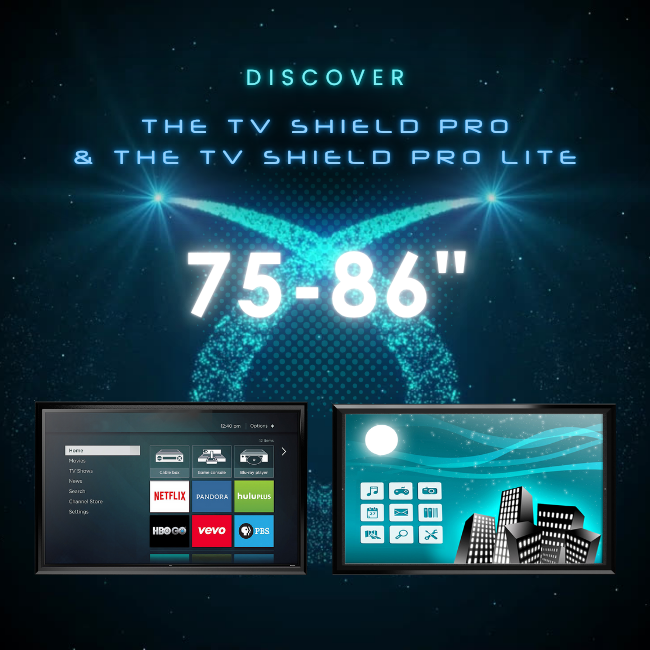
Table of Contents
Why Large-Scale Outdoor TV Enclosures Matter
When it comes to outdoor entertainment, size really does matter. The bigger the screen, the bigger the wow factor, but also the bigger the risk.
- Weather extremes: Sun, rain, wind, humidity, and even snow can cause irreversible damage to a large screen.
- Temperature swings: Hot afternoons followed by cool evenings create condensation inside unprotected electronics.
- Security concerns: A giant TV is a tempting target for theft or vandalism.
- Physical impact: Flying debris during a storm, a stray football from the lawn, or accidental bumps during a party.
A large-scale outdoor TV enclosure acts like a suit of armor, keeping your display safe without sacrificing visibility or accessibility. For high-value screens like 75–86” displays, that protection is not just smart, it’s essential.
Meet The TV Shield PRO GEN2 (75–86")
The TV Shield PRO GEN2 outdoor 75-86” TV enclosure isn’t just an enclosure; it’s a fortress for your outdoor television. Designed for serious residential and commercial use, it delivers weatherproof, shatterproof, tamper-resistant protection in a sleek package that doesn’t scream “industrial equipment.”
Standout Features
- True outdoor protection: It is fully weatherproof, with a sealed design to block out rain, moisture, dust, and insects.
- Impact-resistant screen: The TV Shield PRO is made with an ultra-clear shatterproof polycarbonate that keeps visuals crisp while guarding against damage.
- Temperature control: It features options for internal thermastic temperature control (climate management) so your display operates smoothly even in extreme hot or cold conditions.
- Security hardware: The lockable design keeps unwanted hands off your investment.
Why It’s a Star Player
If you want your large-scale TV to thrive outdoors year-round, The TV Shield PRO GEN2 is purpose-built to handle it. It’s perfect for poolside movie nights, rooftop bars, outdoor kitchens, sports venues, or any setting where a big screen meets open air.
Meet The TV Shield PRO Lite (75–86")
While the PRO GEN2 is made for the wild outdoors, The TV Shield PRO Lite 75-86” TV enclosure shines indoors or in covered outdoor areas where liquids and temperatures are less of a threat, but impact protection is still a must.
Standout Features
- Lightweight yet durable: It is made with strong but lighter materials, ideal for interior or semi-protected spaces.
- Impact resistance: The TV Shield PRO Lite guards against accidental bumps, flying objects, or intentional tampering.
- Cost-effective: This enclosure is a great budget-friendly option if you don’t need full weatherproofing.
- Easy maintenance: The TV Shield PRO Lite features quick access to the screen when you need to clean, adjust, or swap it out.
Why It’s a Star Player
It is ideal for conference rooms or auditoriums with expensive large displays, indoor sports arenas and gyms, covered patios or screened-in porches, and banking, retail, or hospitality spaces where large screens attract attention.
Real-World Ways to Use Large-Scale TV Enclosures
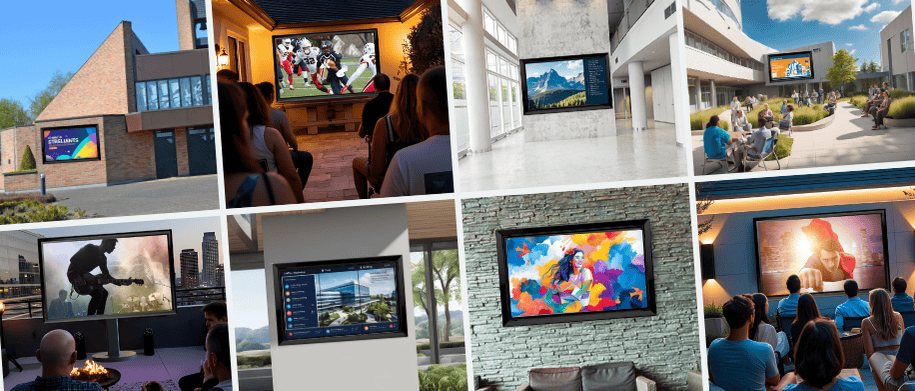
The magic of these enclosures is in how they expand what’s possible with a big screen.
Residential Applications
The Backyard Cinema
Imagine a Friday night under the stars, fairy lights twinkling, popcorn bowls in hand, and a Hollywood blockbuster lighting up your back garden. With a large-scale outdoor TV enclosure like The TV Shield PRO 75-86", you can set up a true open-air theater without fretting over rain showers, humidity, or the occasional errant football from the neighbor’s kids. The weatherproof protection means you can leave your setup in place year-round, so movie night can be as spontaneous as you want.
Poolside Sports Lounge
Why dash inside, dripping wet, to catch the next play when you can have the game right there by the pool? Enclosures like The TV Shield PRO 75-86" keep your television safe from splashes and sunscreen-smeared hands while you and your guests enjoy the match from an inflatable lounger. It turns your pool area into the ultimate summer social hub.
Covered Patio Family Hub
Forget crowding around a laptop for Zoom calls with relatives or using a tiny TV for family movie night. With a large protected TV, your patio can become the go-to gathering place for everything from Saturday morning karaoke to streaming the Christmas Day parade. The enclosure keeps your investment safe from dust, insects, and sudden temperature shifts, making it a permanent and reliable fixture for family life.
Commercial Applications
Restaurant and Bar Patios
Outdoor dining is booming, and nothing keeps patrons lingering longer than live entertainment or an up-to-date digital menu board. A big screen in The TV Shield PRO enclosure means you can broadcast the big match, showcase nightly specials, or stream live music performances without worrying about the elements. The durability of these enclosures means they’ll stand up to rowdy celebrations and the occasional spilled pint.
Event Venues
Whether it’s an elegant wedding reception or a high-energy product launch, a large-scale protected display ensures every guest has a perfect view. Slideshows, branding, or live-streamed speeches can all run smoothly without risk from wind, rain, or dust. Outdoor TV enclosures also help keep the tech secure between events, so you can set up once and focus on impressing your clients.
Resorts, Hotels, and Much More
First impressions count, and nothing says “luxury meets convenience” like clear, bright digital signage in your outdoor common areas. From interactive maps that help guests find their way to the pool to outdoor movie nights for families, an outdoor TV enclosure allows resorts to offer more experiences in more spaces. It’s also a low-maintenance solution, since the screen stays protected from sun, sand, and curious hands.
From resorts and hotels to shopping malls, food trucks, grocery stores, schools, government buildings, theaters, and more, The TV Shield PRO outdoor TV cabinet protects TVs in a variety of industries around the globe.
Key Buying Tips for Your Setup
Before you rush to mount and protect your big screen, keep the following things in mind.
- Match the enclosure to the environment: Are you placing the TV outdoors in full exposure? Go with The TV Shield PRO GEN2 (and check with The TV Shield team for best practices to ensure effective TV protection in the location you choose). If you're installing the TV indoors or in a covered outdoor space? The TV Shield PRO Lite is your friend.
- Measure twice, buy once: Large displays vary in thickness and bezel design. Confirm the TV and enclosure fit together before ordering.
- Plan for ventilation: Even indoors in certain environments, a big screen can overheat. Ensure your enclosure has proper airflow or temperature control.
- Think about access: Choose a model such as The TV Shield PRO or The TV Shield PRO Lite that lets you easily update, clean, or service the TV.
- Invest in secure mounting: Especially for outdoor installations where wind or movement is a factor.
Final Thoughts: Protecting the Big Screen Experience
A 75–86” TV isn’t just a purchase - it’s a statement. It’s the centrepiece of your outdoor or indoor entertainment, the thing that makes people stop mid-conversation and say “wow.” But to keep that wow factor alive, you need to think beyond picture quality and sound systems.
The TV Shield PRO GEN2 (outdoor TV enclosure) and TV Shield PRO Lite (porch or indoor TV cabinet) give you the freedom to put your dream display exactly where you want it without fear of weather, damage, or tampering cutting the story short. Whether it’s the heart of your home entertainment or a key feature in your business, these enclosures make sure the big screen dream stays bright for years to come.
Ready to Watch TV Outside?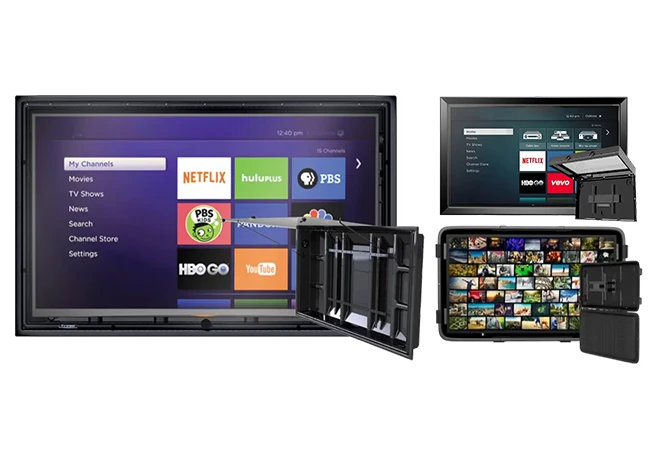
Grab Your Perfect Outdoor TV Enclosure Today
.png "Shop for The TV Shield")
Frequently Asked Questions
Why can’t I just use a standard TV outdoors?
You can put a standard TV outside, but you’ll probably regret it. Standard TVs aren’t designed for fluctuating temperatures, moisture, impact resistance, or direct sunlight. Even if it works for a short time, condensation, rust, or overheating typically ruin televisions placed outside in a matter of weeks to a few months. A weatherproof enclosure gives your TV the armor it needs to handle rainstorms, wind, dust, insects, hot or cold temperatures, snow, and the constant exposure to UV rays (refer to a customer service expert about direct sun protection). In the long run, the cost of an enclosure is far less than replacing a damaged big-screen TV.
Do enclosures affect picture or sound quality?
A high-quality enclosure like the TV Shield PRO series is designed to keep visuals crystal-clear. The front panel is made from ultra-clear, shatter-resistant polycarbonate, so colors and contrast remain true to the original display. As for sound, simply turning the TV volume up a bit higher than indoors typically works perfectly. Similar to indoor TV setups, outdoor home theater concepts sometimes integrate external speakers or sound systems for an added surround sound effect, especially for large outdoor installations.
Are large enclosures difficult to install?
They can be heavy and bulky (after all, you’re securing something the size of a small sofa to a wall or stand), but they’re designed for straightforward installation. Sometimes people hire professionals, especially for wall-mounting at height, but a confident DIYer with the right tools can manage it. The key is making sure your mount is rated for the combined weight of the TV and enclosure. Check the enclosure manufacturer's installation instructions for more insight regarding individual enclosures.
What about overheating? Won’t the enclosure trap heat?
Outdoor TV enclosures will not trap heat if they're built right. For example, The TV Shield PRO enclosures include ventilation systems and internal thermostatic fans to keep air moving and heat under control. This is especially important for large screens, which naturally generate more heat. If you’re placing your enclosure in direct sunlight for most of the day, it’s worth checking the manufacturer’s recommended ventilation and setup tips for your climate.
Do I still need an “outdoor-rated” TV inside an enclosure?
Not necessarily. One of the main advantages of most weatherproof TV enclosures is that they allow you to use standard, high-quality indoor TVs outdoors without fear of damage. This can save you thousands compared to buying a dedicated outdoor TV while also giving you more freedom to choose the exact display specs you want, store added devices like Rokus or mini PCs inside the enclosure, and more.
Here you go – FAQPage JSON-LD for that set of questions: ```html
Let me know if i need to send the copy or if i can send you the blog link that requires the table of contents and jump linksShow moreI can see the full blog code you've pasted — I have everything I need. Let me pull out all the H2s (and I notice some sections use H3, H4, and H5 tags instead, so I'll include those too since they're the actual section headings). Here's your table of contents with jump links, matching the format from your example: html
One thing worth flagging: a few of the section IDs in the blog code are on inconsistent heading levels — "Real-World Ways" is an H3, "Buying Tips" and "Final Thoughts" are H4s, and "FAQs" is an H5. The jump links will still work fine regardless, but if you want consistent styling you'd want to make those all H2s. Want me to give you the corrected heading tags as well?Actually no i want you to give me the full code, including all the internal links, table of contents, jump links for every H Tag- but i need you to give it to me for a blog thats live. Here is the URL: https://www.thetvshield.com/blog/backyard-bars-and-tv-enclosures-match-made-in-heaven/Loaded tools, searched the webLoaded tools, searched the webThat domain is blocked from direct fetch, so let me use Chrome to pull the page content.Loaded tools, used Claude in Chrome integrationLoaded tools, used Claude in Chrome integrationThe output got truncated. Let me get the rest.Updated todo list, used Claude in Chrome integrationUpdated todo list, used Claude in Chrome integrationGot all the headings. Now here's the full code — the table of contents nav block plus every heading tag updated with its matching id anchor: Table of Contents block (place this where you want it to appear): html
Table of Contents
Updated heading tags with IDs (replace each existing heading in the blog with these): html
Why a TV Belongs in a Backyard Bar
The Big Problem: TVs are Not Designed for the Outdoors
Common Hazards Backyard Bars Throw at Your TV
1. Weather exposure
2. Physical Impact and Roughhousing
3. Grease, Smoke, and Airborne Residue
4. Insects and Pests
5. Theft and Tampering
The Intervention: Outdoor TV Enclosures
How Outdoor TV Enclosures Protect Your Investment
Weather Defense
Impact Resistance
UV and Temperature Control
Locking protection
Choosing the Right Enclosure for a Backyard Bar
Real-Life Examples
The Diehard Sports Fan
The Family Movie Night Lover
The Entertainer Who Values a Clean Look
FAQs
Updated todo listUpdated todo listTwo pieces to drop in: the nav block goes where the existing Table of Contents is, and each heading tag just needs the id attribute added. The nestedstructure in the TOC gives you the H3 sub-sections indented under their parent H2 — matching the style from the other blog you showed me. Ready to go!please do the same for this but only H2s: https://www.thetvshield.com/blog/7-outdoor-tv-uses-that-arent-watching-sports/Used Claude in Chrome integrationUsed Claude in Chrome integrationHere's the full code — TOC block and updated H2 tags with IDs: Table of Contents block: html
Table of Contents
1. Home Fitness Sessions
Your backyard might be the best fitness studio you never knew you had.
Streaming workout classes outside adds a totally different vibe to your routine. Healthy fresh air, natural light, and actual space to move can make exercise feel less like a chore and more like something you actually want to do.
Yoga, Pilates, HIIT workouts, and even guided stretching sessions all translate beautifully to an outdoor screen.
Ways People Use Outdoor TVs for Fitness:
- Morning yoga sessions with online instructors
- Guided meditation videos at sunset
- Family-friendly workout routines on weekends
- Following dance or cardio classes without knocking over furniture
An outdoor TV lets you see form cues clearly, follow along comfortably, and avoid contorting your neck around a tablet balanced on a chair. Once you try stretching while watching the sun come up, going back indoors feels like a downgrade.
Outdoor Movie Nights
Movie night hits differently when it’s outside.
Outdoor TVs (the centerpiece of an outdoor home theater) make it easy to host casual movie nights without the hassle of projectors, tangled cords, or waiting for it to get dark enough to see the screen. Animated movies for kids, rom coms with friends, or classic films with neighbors all feel more fun under the open sky.
To Level Up Your Outdoor Movie Setup:
- Add comfy seating with blankets and pillows
- Set up soft lighting so people can move around safely
- Keep a snack station nearby for popcorn and drinks
- Choose movies that match the vibe of the night
An outdoor TV brings cinema quality without the bugs, blurry images, or setup drama. Plus, nobody complains about the volume when the sound is already outside.
3. Music Video Parties
If your Spotify or YouTube Music playlist deserves visuals, your backyard is the place to make it happen.
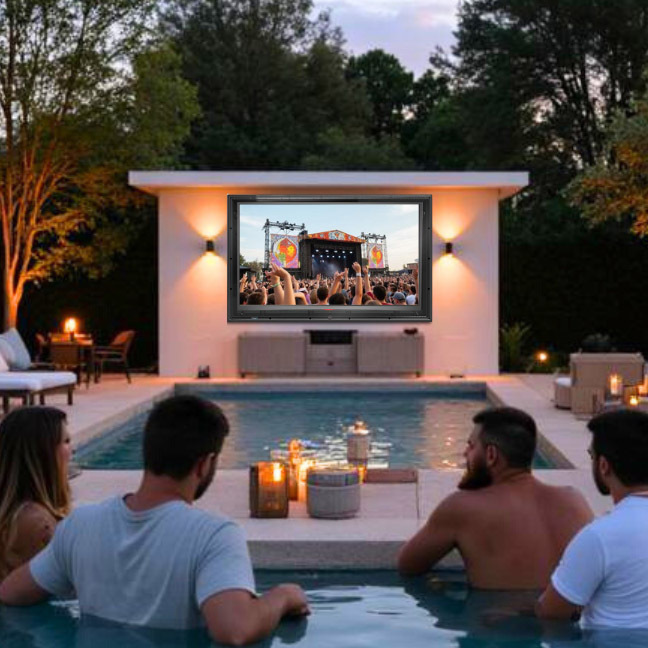
Music videos, live concert streams, and DJ sets are a perfect fit for outdoor TVs. Whether it’s a summer barbecue, birthday party, or just a Friday night with friends, visuals turn background music into a full-on experience.
Popular Music-Related Uses Include:
- Looping music videos during parties
- Streaming live concerts or festivals
- Karaoke nights with lyrics on screen
- Creating themed playlists with visuals to match
An outdoor TV gives guests something to watch between conversations and keeps the energy up without demanding everyone’s attention. It’s entertainment that enhances the atmosphere instead of hijacking it.
Read more: Top 10 Made-in-the-USA Outdoor Living Furniture & Accessories
4. Holidays and National Events
Some events deserve more than a phone screen.
From New Year and Fourth of July fireworks broadcasts to Thanksgiving parades and holiday specials, an outdoor TV makes national and seasonal celebrations feel bigger and more communal. Instead of crowding around a living room, everyone can spread out, relax, and enjoy the moment together.
Outdoor TVs are Great for:
- Watching fireworks displays without fighting traffic
- Streaming holiday parades with family brunch
- Playing seasonal videos during themed gatherings
- Hosting neighborhood watch parties for major events
It keeps the celebration outdoors where it belongs, especially when food, kids, and conversation are already happening outside.
5. Poolside Entertainment
Pools and TVs are a natural combo, but it’s not just about background noise.
An outdoor TV near a pool creates instant entertainment that works for all ages. Kids can watch cartoons while taking breaks from swimming, adults can follow travel shows or lifestyle content, and everyone can enjoy visuals without heading indoors dripping wet.
Common Poolside TV Uses:
- Kids shows during family swim time
- Travel or nature videos for a relaxed vibe
- Music channels with visuals instead of static images
- Relaxing content during evening swims
Outdoor TVs are built to be viewed from a distance and at angles, which makes them far more practical than trying to squint at a tablet near the water. Quality weatherproof TV enclosures offer these same advantages as outdoor TVs, as well as higher weatherproofing, shatterproof screen options, longer warranties, cost-savings due to longer TV life outside, and even the ability to house and protect other devices such as Roku, Amazon Firestick, game consoles, mini-PCs, and more.
6. Gaming Nights
Video games are not just for mom’s basement anymore.
Outdoor TVs have opened the door to backyard gaming nights, and they are a hit with teens, adults, and anyone who loves friendly competition. Fighting games, racing games, party games, and even trivia apps work surprisingly well outside. Picture exciting Mario Kart races or Minecraft building sessions on the patio on a sunny day or intense Halo or Fortnite parties on the deck at night.
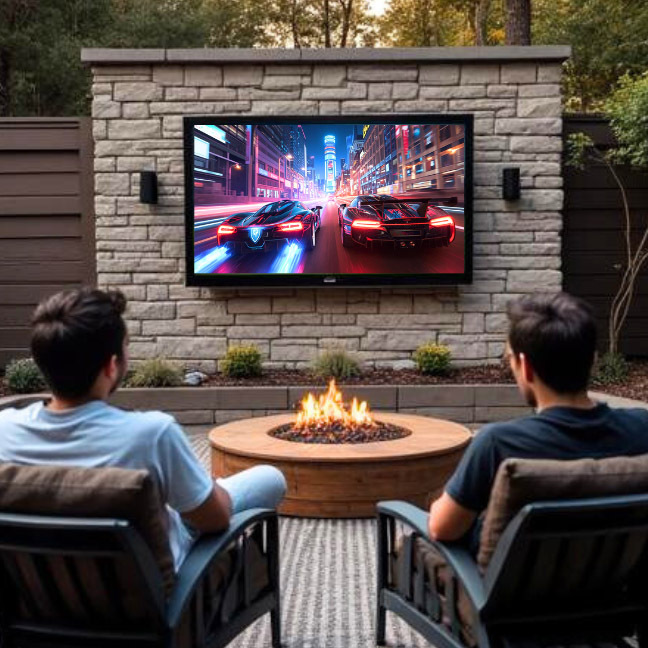
Why Outdoor Gaming Works:
- Bigger screen means everyone can see clearly
- Fresh air keeps sessions comfortable
- Social games feel more interactive outdoors
- It turns gaming into a group event
- Gamers can enjoy the health benefits of time outdoors
Add some patio seating and a couple of controllers, and suddenly your backyard is the most popular hangout on the block.
7. DIY Projects and Tutorials
Ever tried following a DIY video on your phone with dusty hands? Not ideal.
Outdoor TVs are incredibly useful for home improvement projects, grilling tutorials, gardening guides, and creative hobbies. Instead of running back and forth inside to replay a step, you can watch everything right where the work is happening.
People Commonly Use Outdoor TVs for:
- Grilling and smoking tutorials
- Woodworking or DIY project videos
- Gardening guides and landscaping inspiration
- Craft projects that are messy or space-heavy
This is one example where protecting your outdoor TV really matters. Dust, weather changes, and outdoor debris are part of the environment. Using a purpose-built enclosure like The TV Shield helps keep screens safe without turning your setup into an eyesore. It lets you enjoy the convenience without worrying about every splash, breeze, or unexpected storm.
FAQ
- Can I use a regular TV outside?
You can, but it’s risky. Indoor TVs are not designed to handle moisture, temperature changes, or high-speed object impacts (such as thrown balls or flying debris in storms). Even on covered patios, exposure adds up over time.
- What kind of content works best on outdoor TVs?
Anything that benefits from space and group viewing works well. Fitness videos, movies, music, tutorials, and events are all popular choices. Outdoor TVs are great for individuals or groups to watch TV shows, movies, YouTube, sports, news, cartoons, documentaries, musical performances, Twitch, and more.
- Do outdoor TVs need protection even under a patio cover?
Sometimes. Covered does not mean sealed. Humidity, dust, insects, and temperature still affect electronics over time. Both indoor and outdoor TVs (depending on the specs) can benefit from added protection under patio covers.
- How do people protect outdoor TVs without ruining the look?
Many homeowners use weather-resistant enclosures designed specifically for outdoor use. Options like The TV Shield are made to protect screens while still looking clean and intentional.
- Are outdoor TVs hard to maintain?
Not at all. With the right setup and protection, maintenance is minimal. Regular cleaning and checking connections usually does the job.
- Is an outdoor TV worth it if I don’t watch sports?
Absolutely. Sports are just one small slice of what outdoor TVs can do. Many owners end up using them more for movies, fitness, and everyday entertainment.
- How long can an outdoor TV last?
With proper protection and placement, an outdoor TV can last for years. Keeping it shielded with a weatherproof TV case from weather and debris makes a huge difference in longevity.